Rapid Roller Door Faults: What to Record Before Requesting Repair
An unexpected stop, unusual sound or repeated reopening describes a symptom, not a confirmed failed component. Useful fault reporting helps the service team identify the correct door, controller and documentation before deciding what work is required.
For the equipment configuration, see the SEPPES PVC high speed door. This article concerns observations and reporting; it is not a universal repair sequence.
Record When the Symptom Occurs
- Does it occur on an opening request, during travel or while closing?
- What indication or fault message appears on the controller?
- Which activation device was in use?
- Was there a recent change in traffic, cleaning, power or nearby equipment?
- Is there visible damage or an obstruction that can be described from a safe position?
Include the date and whether the symptom is continuous or intermittent. Do not keep cycling a door that is making impact sounds or behaving unexpectedly merely to reproduce a fault.
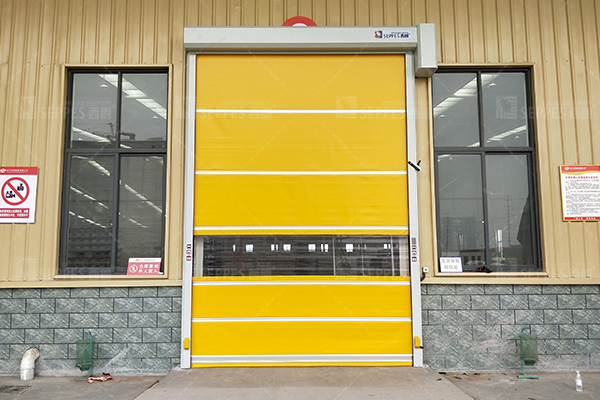
Avoid Guessing a Component from One Symptom
A slow or unresponsive door can have different causes across drive and control systems. A noise does not, by itself, establish that a guide needs lubrication, and repeated reopening does not prove one particular sensor has failed.
Do not replace contactors, gears or other components in a generic order. The diagnosis and repair procedure need to match the installed equipment and the observed condition.
Keep Operator Observations Separate from Repair
Follow the site procedure for restricting use and reporting a fault. Keep the opening clear and use only the checks assigned to trained users in the supplied instructions.
Electrical work, drive access, adjustments and dismantling need the appropriate personnel and isolation procedure. Do not bypass protective devices or change settings to suppress the symptom.
Send a Complete Service Request
Provide the door model, serial number, controller identification, fault message, symptom record and clear photographs of the equipment labels and visible condition. Keep previous service records and document versions available.
Use the PVC door fault guide for related symptom categories and the routine maintenance checklist for service records. Contact SEPPES with the fault information for model-specific support.